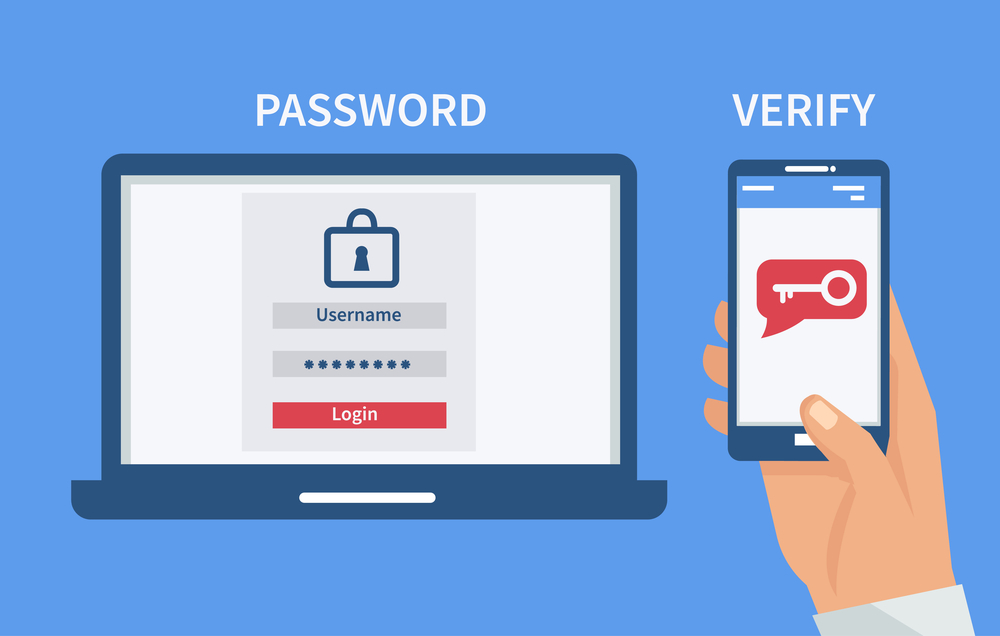
Two-factor authentication, often called 2FA, is a security method that asks for two different forms of verification before access is granted to an account, app, device, or system. In simple terms, it means a password alone is not enough. After entering a password, the user must complete one more step, such as typing a code from an authenticator app, approving a sign-in on a trusted device, or using a security key.
This extra step matters because passwords are often stolen, guessed, reused, or exposed in data breaches. Microsoft has reported that modern MFA can reduce the risk of account compromise by 99.2%, which shows why this method is now one of the most important parts of personal and business cybersecurity. :contentReference[oaicite:0]{index=0}
What a two-factor authentication method means
A two-factor authentication method is any login process that combines two separate authentication factors. These factors usually come from different categories:
- Something you know — a password, PIN, or passphrase
- Something you have — a phone, authenticator app, smart card, or hardware security key
- Something you are — a fingerprint, face scan, or another biometric factor
For example, entering a password and then typing a one-time code from an authenticator app is a classic form of 2FA. A password plus a fingerprint scan can also count, depending on how the system is built.
The key point is simple: two-factor authentication is not the same as using two passwords. If both login steps come from the same category, that is not true 2FA. A password and a security question are both things you know, so that is still only one factor type.
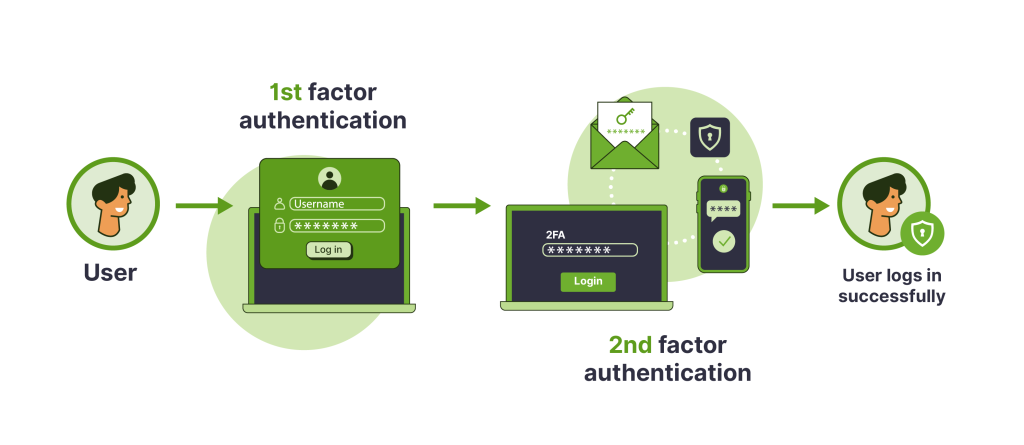
How two-factor authentication works
In most cases, the login process follows a clear order:
- You enter your username and password.
- The system checks whether the first factor is correct.
- You are asked for a second factor.
- You confirm your identity with a code, prompt, biometric scan, or security key.
- If both checks pass, access is granted.
This second step blocks many common attacks. Even if a criminal already has the password, they still need the second factor. That is why 2FA helps protect email accounts, banking apps, work systems, cloud storage, social media, and online stores.
Common types of two-factor authentication methods
There is no single form of 2FA. Different platforms use different methods, and some are stronger than others.
Authenticator app codes
This is one of the most popular and practical options. An app such as Google Authenticator, Microsoft Authenticator, or another trusted authenticator generates a short code that changes every 30 seconds or so. You enter that code after the password.
Why people like it:
- Works without waiting for SMS delivery
- Usually stronger than text-message codes
- Easy to use after setup
Common problems:
- People change phones and forget to transfer their accounts
- Backup codes are often ignored until recovery is needed
- Users sometimes lock themselves out after resetting a device
SMS codes
With this method, the website sends a one-time code to your phone number by text message. It is simple and familiar, which is why many services still offer it.
Main benefit: easy for beginners, because no extra app is needed.
Main drawback: SMS is more exposed to risks such as SIM swap fraud, message interception, and delayed delivery. That is why many security experts prefer app-based or phishing-resistant options when available. NIST notes that manually entered OTP methods are not considered phishing-resistant. :contentReference[oaicite:1]{index=1}
Push notifications
Some services send a prompt to your phone that says something like “Are you trying to sign in?” You tap Approve or Deny.
This method is convenient, but it can create a real problem called push fatigue. If users receive repeated login prompts, some approve them by mistake just to make the notifications stop. That can give an attacker access.
Biometric verification
Fingerprint scans and facial recognition are often used as part of a 2FA flow, especially on phones and modern laptops. They are fast and user-friendly, but they still depend on secure device design and proper account recovery settings.
Hardware security keys
A physical security key, often based on FIDO2 or similar standards, is one of the strongest options. You insert the key into a device or tap it near your phone to complete login.
NIST states that FIDO authenticators used with WebAuthn are among the most common widely available forms of phishing-resistant authentication. :contentReference[oaicite:2]{index=2}
Why this method is strong:
- Very effective against phishing
- Harder to steal remotely
- Useful for administrators, business accounts, and sensitive services
Where people struggle:
- Some users worry about losing the key
- Not every website supports it
- People often forget to register a backup key
Passkeys and modern sign-in methods
Many major platforms now promote passkeys as a safer alternative to traditional passwords. Passkeys are linked to your device and protected by your screen lock, fingerprint, or face scan. Google says passkeys are more secure against phishing because they cannot be shared, copied, written down, or accidentally handed to a fake site the way passwords can. :contentReference[oaicite:3]{index=3}
From a user perspective, passkeys can feel easier than passwords plus SMS codes. From a security perspective, they can offer stronger protection when supported correctly. This is one reason the market is gradually moving toward phishing-resistant authentication.
Why two-factor authentication is important
People often assume a strong password is enough. In reality, many attacks start with stolen credentials. Verizon’s 2025 Data Breach Investigations Report says that in its Basic Web Application Attacks pattern, about 88% of breaches involved the use of stolen credentials. :contentReference[oaicite:4]{index=4}
That means a criminal does not always need advanced hacking tools. Sometimes they only need:
- a leaked password from an old breach
- a successful phishing email
- a reused password from another site
- a login captured by malware or an infostealer
IBM reported that the number of infostealers delivered via phishing emails per week increased by 84% year over year in its 2025 threat findings. That matters because infostealers are built to grab passwords, cookies, and other data that can later be used to break into accounts. :contentReference[oaicite:5]{index=5}
This is where 2FA becomes valuable. It adds one more barrier between your account and the attacker.
Real problems people face without 2FA
Many users do not think about account security until something goes wrong. The most common situations look like this:
- Email account takeover after a phishing message
- Social media theft after password reuse
- Banking or payment app risk after phone number fraud
- Work account compromise that exposes customer data or internal files
- Locked accounts because recovery settings were weak or outdated
Another problem is false confidence. People often say, “My password is strong, so I’m safe.” A strong password helps, but it does not stop every threat. If the password is stolen through phishing, malware, or a breach on another site, its strength no longer matters.
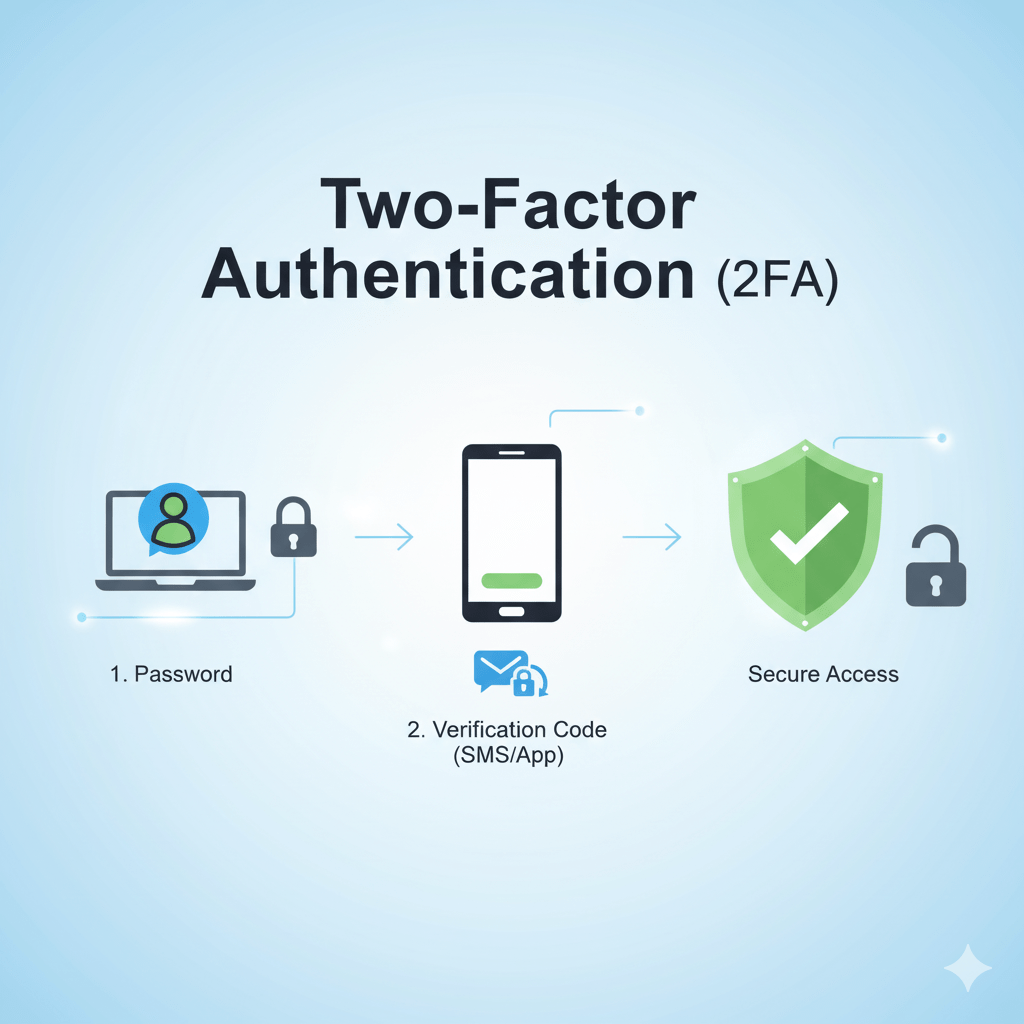
What is the difference between 2FA and MFA
2FA means exactly two factors are used. MFA, or multi-factor authentication, is a broader term. It includes any login process that uses two or more factors.
So every 2FA setup is a form of MFA, but not every MFA setup is limited to just two factors.
Example:
- Password + authenticator code = 2FA
- Password + hardware key + biometric check = MFA
Which two-factor authentication method is safest
Not all methods provide the same level of protection. In general, the security ranking often looks like this:
- Hardware security keys / FIDO2 / passkeys
- Authenticator apps
- Push notifications with strong anti-fraud controls
- SMS codes
The strongest options are usually called phishing-resistant because they are designed to stop fake websites from capturing the login process. NIST explains that phishing resistance requires cryptographic authentication, and manually entered one-time codes do not meet that standard. :contentReference[oaicite:6]{index=6}
For many everyday users, an authenticator app is the best balance of security and simplicity. For administrators, finance teams, company owners, and anyone protecting highly sensitive data, hardware keys or strong passkey support are often better.
Best practices for using two-factor authentication
Turning on 2FA is a strong step, but setup quality matters. These habits make it far more effective:
- Use unique passwords for every important account
- Prefer an authenticator app or security key over SMS when possible
- Save your backup codes in a safe place
- Register a backup device or second security key
- Keep your recovery email and phone number updated
- Never approve a login prompt you did not start
- Check account security settings after changing your phone
Common mistakes people make with 2FA
Many lockouts and account problems come from simple setup errors, not from the security method itself.
- They enable 2FA but do not save recovery options
- They rely on one phone only and lose access after replacing it
- They keep reusing the same password and think 2FA solves everything
- They approve suspicious push notifications
- They ignore signs of phishing because they trust the second factor too much
2FA is powerful, but it is not magic. Good account hygiene still matters.
When you should enable two-factor authentication
The short answer is simple: enable it on every account that matters. Start with these:
- Banking and payment services
- Cloud storage
- Social media
- Work accounts
- Online stores and marketplaces
- Password managers
Email should be near the top of the list because many password reset processes depend on it. If an attacker gets into your email, they may be able to reset other accounts as well.
Final answer
A two-factor authentication method is a login security process that requires two different types of proof to verify identity. It is used to make accounts harder to break into, even when a password has been stolen. Common examples include a password plus an authenticator app code, a password plus a push notification, or a password plus a security key.
For most users, 2FA is one of the easiest and most effective ways to reduce account risk. If you want strong protection with simple everyday use, an authenticator app is often a smart starting point. If you want the highest level of protection, look for passkeys or a hardware security key.

I am an author and content editor for informational websites, writing about media, social trends, and everyday topics that people search for online. I hold a Bachelor’s degree in Communications from the University of Michigan, where I studied media studies and digital journalism.












Leave a Reply